Showing posts with label Samsung. Show all posts
Wednesday, July 11, 2012

Samsung Galaxy S III Is Available In AT&T Now

Samsung Galaxy S III (S3) is already in AT&T now, and people in the US, can get this amazing phone via online or in the nearest stores.

And the 16GB model of the phone will cost you $199.99, but it's worth the money considering the magnificent specs this Android 4.0 (ICS) based phone has.
Samsung Galaxy S3

Have you bought the phone?

Friday, June 22, 2012

Unlock Samsung Galaxy S3 With Voodoo Galaxy S III Unlock

Unlock Samsung Galaxy S3. Voodoo Galaxy S III SIM Unlock is a free application you can utilize to unlock your Android Samsung Galaxy S 3, so you will have bigger freedom which is using SIM cards you desire without restriction.

You don't need to reboot your device and the unlocking is almost instantly. You don't need not external tool, but root is required.

Before unlock your S 3 your important data will be backed up. Unfortunately right now there is no automatic restoration, but it seems the developer will add the feature in the next version.

Interested to unlock your Samsung Galaxy S3? Then download Voodoo Galaxy S III SIM Unlock from Google Play site below.

Voodoo Galaxy S III SIM Unlock

Download Voodoo Galaxy S III SIM Unlock.


Hope this post useful and see you again.

How To Transfer iPhone Data To Samsung Galaxy Device

Samsung released an app namely Easy Phone Sync which is designed to ease our job in transferring data or contents like contacts, messages, videos and photos from iPhone or iPad to Samsung Galaxy devices through iTunes.

Easy Phone Sync can also help you to transfer music, podcasts also iTunes's playlist. All transferring activities can be done painlessly.

What Samsung is doing now to make iPhone or mostly iOS devices owners to at least give Android a chance, and the company helps them by releasing this app to make it easier for any iPhone users to switch to its device.

However, at least currently, Easy Phone Sync only available for UK owners of Galaxy S III only. Seems like right now, Samsung targeting the region.

Easy Phone Sync

Anyway, this app is free to download that you can grab it from the following links.

Monday, June 4, 2012

iPhone 4s Vs Samsung Galaxy S3 In Durability Testing

This is a drop test to decide which of the super smartphones is more durable after being dropped than other, what I am talking about now which is, between iPhone 4s and Samsung Galaxy S3, strongest in durability test.

You will see a girl with red hair doing a dropping test to those smartphone, she will purposefully dropped both iPhone 4s and Samsung Galaxy S3 multiple times to decide which one is the winner in this drop test competition.

Well the result is surprising, albeit Samsung Galaxy S3 is less cracked yet its touchscreen completely broken, the homescreen and the unlocking don't work at all. As the result Samsung Galaxy S3 is completely broken inside after the test.

While iPhone 4s is still usable and the touchscreen still works, albeit it's cracked on both sides.

iPhone 4s Vs Samsung Galaxy S3 In Durability Testing

Are you curious want to see the video?

The moral of the video is never use your beloved handset with the screen pointed towards the ground. Lol.

Via Android Authority.

Friday, June 1, 2012

Samsung ChromeBox Plagiarizes Apple Mac Mini Design?

Have you heard the latest design rip-off allegation pointed to Samsung? Samsung latest ChromeBox's design is almost identical with the Apple's Mac Mini, to which make people are throwing accusation to Samsung for alleged design rip-off.

Well let's compare between Samsung Chromebox and Apple Mac Mini below:


Will Apple sue Samsung again for the design infringement case, as we all know that Apple is a sue-happy company.

Wednesday, May 23, 2012

Samsung Galaxy M Style M340S Specifications

Samsung Galaxy M Style M340S specifications. Samsung is presenting the Android fans in the beginning of 2012 with the unveil of their latest smartphone, Samsung Galaxy M Style M340SM. M Style is running on Android 2.3 Gingerbread and powered by 1 GHz Cortex-A8 processor.

Galaxy M Style is scheduled to be available in South Korea taking the three local giant carriers as partners, like LG U+, KT and SK Telecom as starter, before it goes worldwide I guess, nevertheless no confirmation from Samsung whether to make it available outside Korea, but Softpedia put a possible prediction that the phone could potentially be released to North America and Europe, but again no official confirmation on this.

Samsung Galaxy M Style M340S
And there are 3 colors on table to be chosen: Blue Back, Platinum Silver and then Lavender Pink -- what nice colors and beautiful.

Galaxy M Style uses a 4-inch Super AMOLED touchsceen display, with resolutions up to 480x800 pixels and supporting 16 million colors. And it is running Android Gingerbread -- how about upgrade to ICS? No further news regarding the future uprage to Android ICS.

And this phone is claimed to be an affordable Android based phone, and the company is reported to have confirmed the tag price of the phone will be around $500. IMHO that price is not too affordable for some people.

Galaxy M Style is the fourth affordable Android smartphone announced this January, after previously we got LG Optimus 2 AS680, Motorola Defy Mini XT320 and Motorola Motoluxe XT615.

Let's get deeper to see this phone is offering to use anyway it's in status coming soon status.

Samsung Galaxy M Style M340SM Specifiations

  • 2G Network GSM or CDMA
  • 3G Network HSDPA 2100
  • Announced 2012, January
  • Dimensions 122.5 x 63 x 9.9 mm
  • Weight 123.5 g
  • - Touch-sensitive controls
  • Card slot microSD, up to 32GB
  • Internal 4 GB
  • Type Super AMOLED capacitive touchscreen, 16M colors
  • Size 480 x 800 pixels, 4.0 inches (~233 ppi pixel density)
  • Multitouch Yes
  • OS :Android OS, v2.3 (Gingerbread)
  • CPU :1 GHz Cortex-A8
  • Sensors Accelerometer, proximity, compass
  • Messaging: SMS(threaded view), MMS, Email, Push Mail, IM, RSS
  • Browser: WAP 2.0/xHTML, HTML, Adobe Flash
  • GPS: Yes, with A-GPS support
  • Java: Yes, via Java MIDP emulator
  • Colors: Platinum Silver, Blue Black, Lavender Pink
- DMB TV tuner
- SNS integration
- MP4/WMV/H.264/H.263 player
- MP3/WAV/eAAC+/AC3 player
- Organizer
- Image/video editor
- Document viewer
- Google Search, Maps, Gmail,
  • YouTube, Calendar, Google Talk, Picasa integration
- Voice memo/dial
- Predictive text input
  • Primary 3.15 MP, 2048x1536 pixels
  • Features Geo-tagging, touch focus, face and smile detection
  • Video Yes, 720p
  • Secondary Yes, VGA
  • Speed HSDPA, HSUPA
  • WLAN Wi-Fi 802.11 b/g/n, Wi-Fi hotspot
  • Bluetooth Yes, v3.0 with A2DP
  • USB Yes, v2.0 microUSB

Specs via: GSM Arena.

Thursday, April 5, 2012

How To Enable NFC On AT&T Samsung Galaxy Note

As one of the AT&T Samsung Galaxy Note, have you known that your NFC (Neaf Field Communication) chip is unable yet. It would be unfortunate having this chip within your Note, yet let in disabled. So in this post I would like to share the instructions to enable the NFC chip on your Samsung Galaxy Note, thanks to XDA forum members named Fox 689 for releasing this flash and install instructions.

And before enabling the NFC Chip to your Note, you need to firstly backup your device because you will flash this mod via recovery.

NFC

How to enable NFC on AT&T Samsung Galaxy Note.
  • Download this.
  • Reboot your Galaxy Note into Recovery mode if ClockworkMod Recovery is already installed on your device. Don't know whether your have it installed on your device? Visit this link to install it.
  • Backup your device now, well because we are going to flash the mod.
  • Then select "install zip from sdcard"
  • Select "choose zip from sdcard" or "choose zip from internal sdcard" depending on where did you save it.
  • Find the file of yours to be installed.
  • Restart your device. Once it's on you will see the NFC options that you can turn on in Wireless Settings, also able to install NFC apps in the Play Market.
Related news about Galaxy Note:

Monday, February 13, 2012

Samsung Announces Samsung Galaxy Tab 2

Today Samsung announced the Samsung Galaxy Tab 2, a tablet that features Android 4.0 ICS and optimized with TouchWiz UI. And has similar 7 inc display with 1024 x 600 LCD like the original tab.

After taking a while examining its main specifications, this new version comes with almost similar specs with its predecessor. You will see 1GHZ dual-core processor with 1GB Ram. An rear-facing fixed camera with resolution 3 megapixel, and also a VGA front camera, 3G, HSPA+, Wi-Fi, also Bluetooth 3.0.

For storage capacity Galaxy Tab 2 gives you 16GB and 32GB internal memory and a microSD card slot.


According Engadget Galaxy Tab 2 will be released in March, and UK will be the first country to get this tablet. And then will be spread to the rest of the globe afterward.

Friday, February 10, 2012

Android 4.0.5 Updates For Nexus And Nexus S On March?

Google is allegedely will give Android 4.0.5 (ICS) update to the Galaxy Nexus, and according the French wireless carrier (SFR) the update will be in the next month -- March precisely.

Still fresh in our memory the Android 4.0.4 update was pushed to Verizon Nexus series this past week, Nexus S and Nexus.

Now the rumor from French appears leading to the conclusion that the Android 4.0.5 updates, the exact time to hit and the devices names that will claim the honor.

The rumor of the update can be seen from the following list that was leaked by France's SFR.

Android ICS Update Nexus Nexus S

Many have guessed that this update for the GSM version of Nexus and it will on March. Because, sometimes the GSM version receives earlier update than the CDMA model. But, of course time will tell. So wait until March to come.

Use Voice To Dictate And Send Message On Galaxy Nexus

Hey do you want to have a feature like Siri on your Galaxy Nexus? Don't get me wrong, I am not saying porting Siri to your Galaxy Nexus or other activities that could bring the entire Siri ability to your Nexus.

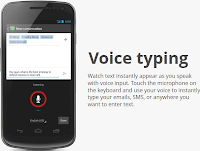
Instead we will be using the pre-installed voice recognition tool from your device, that you can use to send SMS by your voice, not using keyboard.

Samsung Galaxy Nexus Voice Message
As we already know that Galaxy Nexus brings a handy voice recognition ability that allow us to use voice to dictate and send text messages.

So here is the step by step to dictate and send text messages using your voice on Nexus.
  • Open your messaging on home screen or anywhere it's placed or via settings.
  • Choose compose message to start with writing message.
  • Now hit the button of microphone.
  • Press it and record your message using voice, speak loud and clear to prevent confusion.
  • Review the written text, to check for errors.
  • If everything is okey, then send the message by pressing send.

Recommended reading about Galaxy Nexus guide.

How To Enable Face Unlock On Galaxy Nexus.

How To Enable Face Unlock On Galaxy Nexus

Have you enabled face unlock on Samsung Galaxy Nexus of yours? You should if you want to unlock your phone using your face camera. It's awesome, and your friend might be amazed with the new feature of Android Ice Cream Sandwich.

Therefore, do you want to add this face unlock on your Galaxy Nexus? If so, you can follow the steps and they are easy to follow.

Enable or add face unlock to Samsung Galaxy Nexus

Face Unlock Galaxy Nexus
  1. Pick Settings on Home Screen of your device.
  2. Choose security on the Settings menu and then select unlock.
  3. In this phase, select face unlock from the options.
  4. Setup the photo you wish to use for device unlocking. Now see the camera, and line up your face on area that you are able to see on the screen.
  5. Don't smile and just see the camera. Anyway it's recommended to add a pin number, this can be used if your device unable to recognize your face.
  6. When you have done with the above step, now make a test by looking at your Nexus device front camera to unlock it. If it doesn't recognize your, then enter your pin number.

Wednesday, January 25, 2012

Participate In Verizon Samsung Galaxy Nexus Contest

Verizon is inviting all American older than 17 years old to participate in a contest with a Samsung Galaxy Nexus phone as prize, the contest was started 10:00:01 am Eastern Time (“ET”) on January 24, 2012 and ends 11:59:59 pm ET on January 27, 2012.

The requirements is simple, owns a Twitter account and follow the company in Twitter. Once you fulfilled the requirement you are eligible to participate the contest and have a chance to bring the Samsung Galaxy Nexus home!


Interested? You can read the contest rules here and good luck!

Monday, January 23, 2012

Install Stock ROM on Galaxy Note GT-N7000

It is time to talk about Android, okey to start with I would like to share a guide to install a stock ROM / firmware to Samsung Galaxy Note GT-N7000 with ODIN. Therefore please check your firmware version, do this by typing *#1234#. Why? Because Galaxy Note Firmware is country based version, therefore its versions are various depend on country and region.

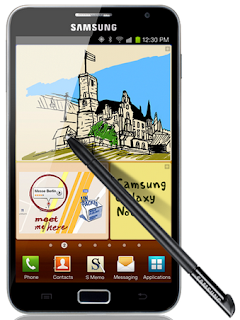
Samsung Galaxy Note

And you can utilize number of firmwares based on continent that are listed at Sammobile, this is useful backup purpose. In case you need to switch back to your existing ROM. Here they are: for Middle EAST, ASIA and EUROPE.

Before dive into the tutorial, keep in mind by following the instructions below you are fully aware what is going to happen to your device if you fail to follow the guide correctly, and none will be responsible if that happens. So do it at your own risk.

Stuffs you need and what to do before proceeding.
  • Download downloader of ODIN3_V1.85
  • Download for full flashing only -- pit file: Pit file: Q1-20110914_16GB.pit
  • USB Cable for Note, PC and NOTE G-7000.
  • .Pit file.
  • Close KIES suite if it opens.
  • Make a backup of your data.
  • Full phone's battery.
  • Use Administrator access on your Windows pc to download and install drivers.
  • Hard reset: *2767*3855# to clean memory cache.
Odin Flashing Procedure for Galaxy Note GT-N7000

1) Extract the ROM file you downloaded.

2) Launch ODIN Downloader using Administrator rule.

3) Load the binary files to its designated slots. And continue to press Start button. But remember don't check Repartition option, because no Pit file is loaded.

4) Your firmware is updated now and will reboot -- in this phase make sure your both your computer and device is connected and turn on.
5) Then shutdown your device for second times, with the proper key combination then reboot it.
6) After it rebooted, select WIPE CACHE PARTITION on the menu and to clear the cache. For the last time restart your device, for the new firmware to installed.

How To Check Android OS Firmware Version For Galaxy Y Samsung

Do you want to check your Samsung Galaxy Y Android OS firmware? Well you can do it by simply typing a line of codes on your Galaxy Y device.

Samsung Galaxy Y

Let's check your Android OS firmware on your Galaxy Y. Type this *#1234#, you will then receive a firmware details from your Phone, see below.

PDA: S5360XXKI9
PHONE: S5360XXKI9
CSC: S5360XENKI3
version: Android 2.3.5

Are you in India? Then update your OS by downloading Android 2.3.6 DDLA1 Firmware for Galaxy Y GT S5360 India.

Tuesday, January 10, 2012

Samsung Captivate Receives Android 2.3 Gingerbread Update

Finally Samsung Captivate (SGH-i897) receives Android 2.3 Gingerbread update after all this time the handset owners is left without a clue whether there would be software upgrade for their beloved device.

Now it has been confirmed and at last after a whole year Gingerbread first debut, it's rolling to AT&T Samsung Captivate.

However, there is a sultry comes along with this wonderful news, and could be a pain in the back for some of you.

Because there is no so-called OTA update though on for upgrade. There is no easier road but taking the hard way.
Android 2.3 GingerBread On Samsung Captivate

But you need to do the manual and lengthy process using your Windows PC to get the GingerBread installed, starting with Kies Mini installation up til the OS upgrading phase.

And fortunately Samsung has posted the instructions on this page. Go there and follow what it's written.

Somehow this is a wonderful news, is not it?

Recommended reading.

Saturday, December 31, 2011

Samsung Galaxy Tab Girl Is The Same From iPhone 4s Ad?

Samsung launched a tv ad with a girl that looks the same one in the Apple iPhone 4s star. You can compare between these two videos -- one is iPhone 4s ad and the other is Samsung Galaxy Tab. Let's watch them:

iPhone 4s ad:


Samsung Galaxy Tab 8.9 LTE ad:

Saturday, December 24, 2011

Samsung Galaxy S And Galaxy Tab Won't Receive ICS Update

Unhappy news recently released from the Samsung promotional's site (it's Korean language), that they won't make the Android ICE Cream available for the Samsung Galaxy S and Galaxy Tab 7-inch. This means the owner of those devices won't be able to upgrade their operating system to the Android 4.0 Ice Cream Sandwich.
Android ICE Cream Sandwich

The question is why does Samsung make this decision? Simply because of the software issue. In those devices Samsung has put lot of big-sizes of software to which those devices will lack enough ROM and RAM if having the ICS installed and run.

Of course this decision will raise a wide disappointment among the Galaxy S users who have deep expectation that their 1GHZ Humingbird-based phone could handle the ICS, let alone its sibling the Nexus S getting the ICS via OTA albeit they both are using the same hardware.

And Samsung explains to that possible query and dissatisfaction that the Nexus S is qualified to receive the ICS it is because only running the basic Android OS, while the Galaxy S to deliver carrier services, TouchWiz, Mobile Tv, video calling software and, TouchWiz.

But looking at the other side, surely it's about Android evolution and it can't be retained simply because of the "old" devices holding it to evolve further. This is indeed unhappy news. However now you have three options on the table, upgrade your hardware, or stick with what you are holding, or using the unofficial porting -- install Android ICE Cream Sandwich to Galaxy Tab.

Via: CNET.

Good day guys.

Wednesday, December 14, 2011

Samsung Thanks Apple For Its Lawsuit On Galaxy Tab 10.1

Samsung says "thank you Apple, because of your lawsuit Samsung Galaxy Tab 10.1 becomes popular in Australia. That's approximately what the Samsung Australia says regarding this joyful situation, instead of killing Samsung Galaxy Tab 10.1 popularity, Apple's lawsuit has made the tablet a "household name".

In case you don't know about the recent news between the two giant manufacturers battle in Australia, Apple's appeal to the High Court was rejected by Sydney court on Friday. The appeal is "Apple requested to halt the Galaxy Tab release in the country".

Samsung Galaxy Tab 10.1

The result of the rejection, Samsung will begin distributing their tablets in the country this week, to make them available in the Australia stores in the time of Christmas shopping session.

And Vodafone, as one of the Australia mobile's carriers have already taken pre-orders from those who want to get their hands on Samsung Galaxy Tab 10.1,

Gizmodo says that the tablet's price will be $579 for 16GB Wi-Fi version and as for Galaxy Tab version will cost $729, however there is no official confirmation from Samsung yet about the validity.

Wednesday, November 23, 2011

Samsung Mocks Apple iPhone 4s In TV Ad

Here is a TV ad from Samsung that is created solely in two purposes; first to advertise Samsung Galaxy S2 (of course) and the second is mocking Apple's latest mobile phone; iPhone 4s.
Samsung Vs Apple

In this video you will see people line up to buy the 4s series while grumbling about how suck their device's battery performance, smaller screen of their device compared to Galaxy S2, and about identical form of iPhone 4s with iPhone 4 to which one of the guy saying: If it looks the same, how will they know I upgraded? and 4G speed.

It is safe to say that in this TV ad Samsung is mocking Apple, showing to the world how inferior iPhone 4s compared to Samsung Galaxy S2 in almost in every crucial aspect. Let's watch it:


Saturday, January 15, 2011

Install SamdroidMod 3 With Android 2.3 On Samsung Spica i5700

If you want to install SamdroidMod 3 with Android 2.3 to Samsung Spica i5700, you can follow the below step by step. But firstly there are few things you must know before proceeding.

It's reported that GPS, Camera and Sensors are not working on the Alpha 3 Build. But other things like, 3G, Internet, SD Card, Audio, GPRS, Wi-Fi work.

Install SamdroidMod 3 With Android 2.3 On Samsung Spica i5700


Before proceed, remember this ROM is still in Alpha stage, which means this is the most unstable version. Therefore still need more tests to find bugs and then fix them all. If you want to test this, do it at your own risk.

1. Firstly download SamdroidMod_3.0.1_GB_Alpha3.zip (don't extract it)

2. Connect your phone to computer using USB and then copy the downloaded zip file to internal SD Card memory.

3. Turn your Samsung Spica phone off.

4. Get into Recovery Mode. To do it press Volume Down button, Call button, and End Call button together while in Power Off mode.

5. When you are in recovery mode, choose the option called“Wipe data & cache”.

6. Now apply “SM 3.0.x.zip”.

7. Restart after process the complete.

Congrats now your Samsung Spica i5700 operated by Android Gingerbread!